Quick Breakdown
Here’s a breakdown of the steps involved in placing a pick-up order online:
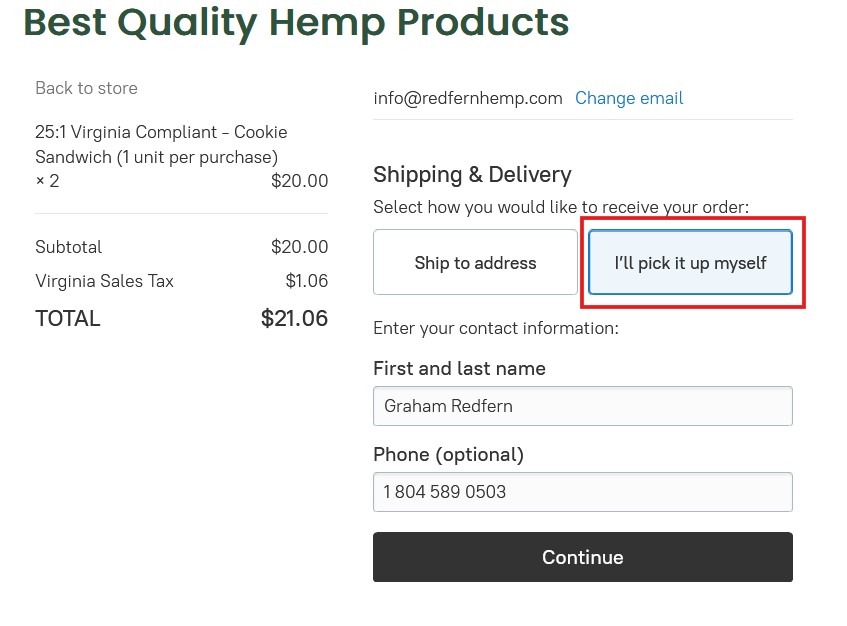
- Choose the pick-up option: When you reach the checkout page, you’ll see options for delivery and pick-up. Select “I’ll pick it up myself.”
- Enter your information: Provide your name and any other required information for the order.
- Confirm your order: Review your order details, including the pick-up location and time, and confirm your purchase.
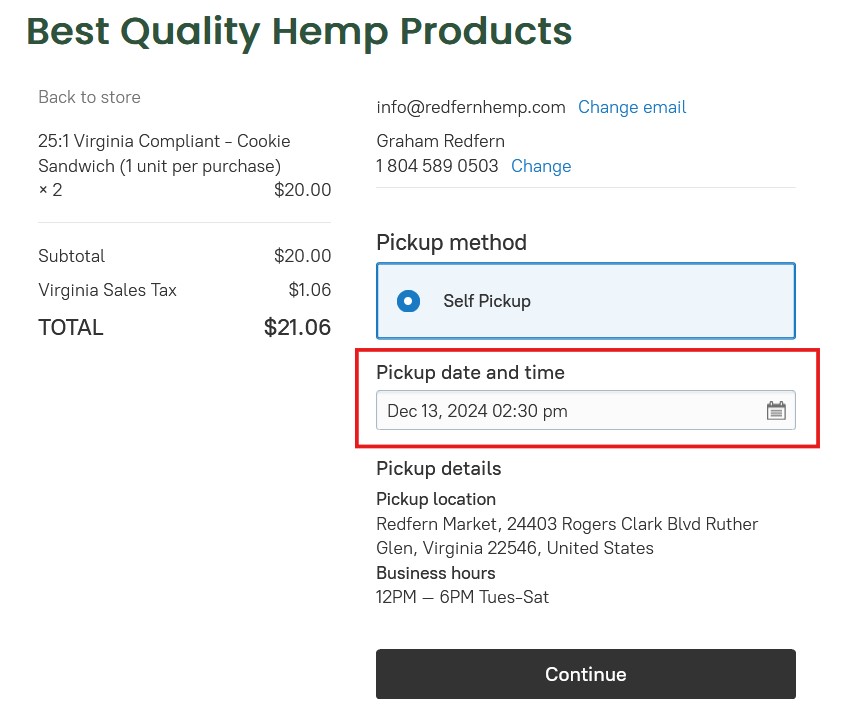
- Finish Self-Pickup: Select your pickup time and date. Our Business hours for pick-up orders are from 12PM-6PM Tuesday-Saturday.
- Pick up your order: Go to the Redfern Market at 22403 Rogers Clark Blvd, Ruther Glen, VA 22546, and bring your ID or order confirmation. Your order will be ready with your name and a receipt.
If you have any questions about the process, you can contact the store by email or by calling 1 804 589 0503.
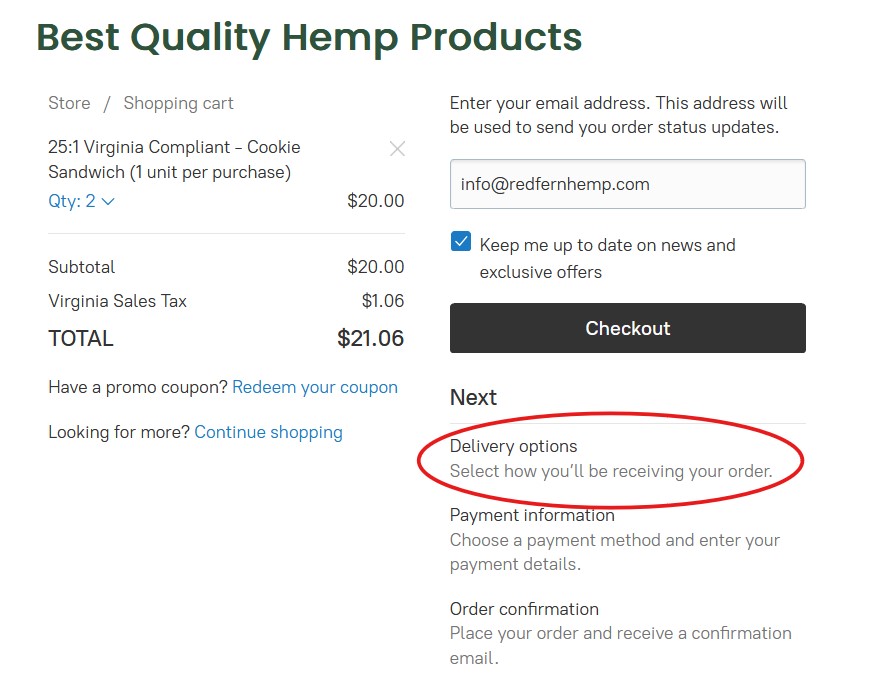
Step 1
To begin submit your Email and Select Checkout
Step 2
Choose ‘I’ll pick it up myself,’ and give us your first and last name before selecting continue.
Step 3
Select your the pickup date and time that works best for you. Our Business hours for pick-up are from 12PM-6PM Tuesday-Saturday.